Investing in Hot Sale participation without preparing your store is wasted money. Discover how to use TiendaPop to optimize product pages, generate ad creatives and adapt your Brand Kit to the event style before May 11.

Participating in Hot Sale costs money. The CACE membership, the sponsorship, the ads. These are three days when your store will get more traffic than it normally gets in a month. And the question few people ask before spending that budget is: what will that buyer find when they land on your product?
In the 2025 Hot Sale edition, the official website recorded over 18 million visits and more than 6.3 million clicks to participating stores, according to CACE data. With that volume, the difference between a sale and a bounce isn't just the price. It's what the buyer sees in two seconds: the image, the title, the description.
TiendaPop is an AI-powered image, banner, and content generation tool integrated with Tiendanube and Nuvemshop. It allows sellers to create professional product photos, ad creatives, and SEO copy without a photographer or designer, directly from their store. For a date like Hot Sale, it's the difference between investing in visibility and converting it into sales.
This guide shows you exactly what you can prepare with TiendaPop before May 11.
When someone arrives at your store from the Hot Sale website, they're ready to close the tab. What they decide in the next few seconds depends almost entirely on what they see on your product page.
A phone photo and a generic description don't communicate the same thing as a well-built product page, even if the product is exactly the same. And on a date where hundreds of stores compete for the same buyer's attention, that difference becomes decisive.
TiendaPop generates three types of images that together cover what a buyer needs to see to trust what they're about to purchase:
Shows the product in use, in an environment the buyer recognizes. It's not a catalog photo — it's a scene that lets them imagine using that product.

Outdoor lifestyle generated with TiendaPop. The buyer sees the product in a real context.
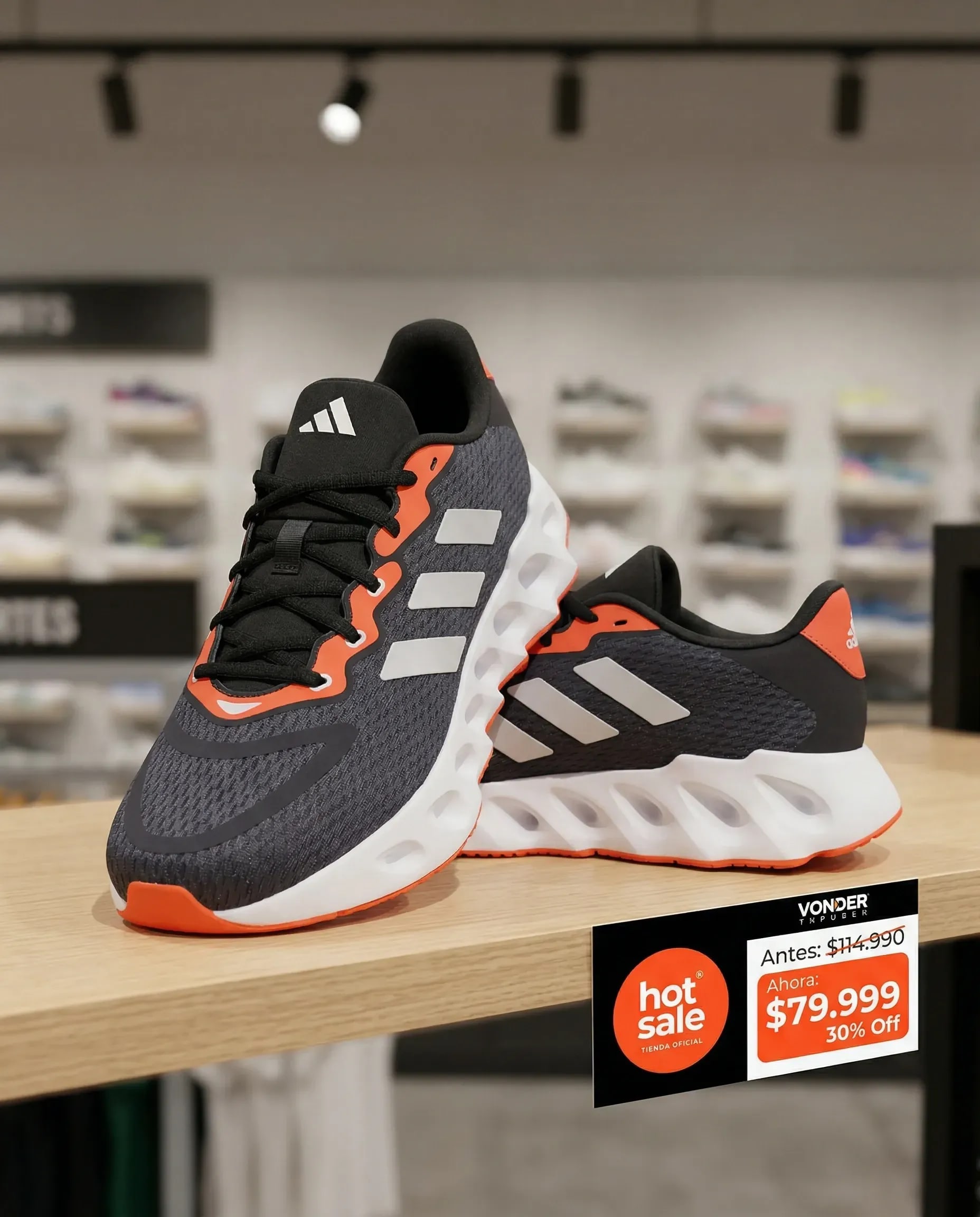
Retail in situ generated with TiendaPop. The product in its real sales context, with event pricing integrated.
The ecommerce standard. Essential for the product to be seen clearly, without the background competing with the details. Many platforms and marketplaces require it.

Studio photo generated with TiendaPop. No manual editing, no photo session.
The online buyer can't touch the product. Macro detail replaces that: it shows the texture, the finish, the materials up close. It's the photo that convinces the buyer who's already decided but needs that last piece of information.

Macro detail generated with TiendaPop. The mesh texture and sole in close-up.
All four images above were generated with TiendaPop from a single product photo. Same model, Hot Sale badge integrated, ready to publish.
A good image brings the buyer to the product page. A well-written title gets them there from Google before they even enter the Hot Sale website.
During the event, the volume of specific searches grows. People looking for "running shoes Hot Sale deal", "wireless headphones discount May" or "winter jacket Hot Sale 2026". If your product page doesn't have those words in the right place, it won't show up.
TiendaPop automatically generates, for each product in your store:
The AI takes the information from your product in Tiendanube, understands what it is and who it's for, and generates the content. It's not generic copy — it's content specific to that product, designed to rank and to sell.
With the time brands have before May 11, optimizing the pages of the products that will be on sale is one of the highest-return actions you can take.
The organic traffic the Hot Sale website brings is valuable, but the brands that sell the most at the event combine that presence with paid ads. The problem is that producing creatives for Meta Ads, TikTok Ads and Google Ads in different formats, aligned with both the event's identity and the brand's, normally requires a designer and several days of production.
With TiendaPop, it happens in minutes. You choose the product, the style and the format. The AI generates the creative with the product in context, ready to export and upload to each platform.

Horizontal banner generated with TiendaPop. Ready to use on the site, in email, or as a horizontal creative.
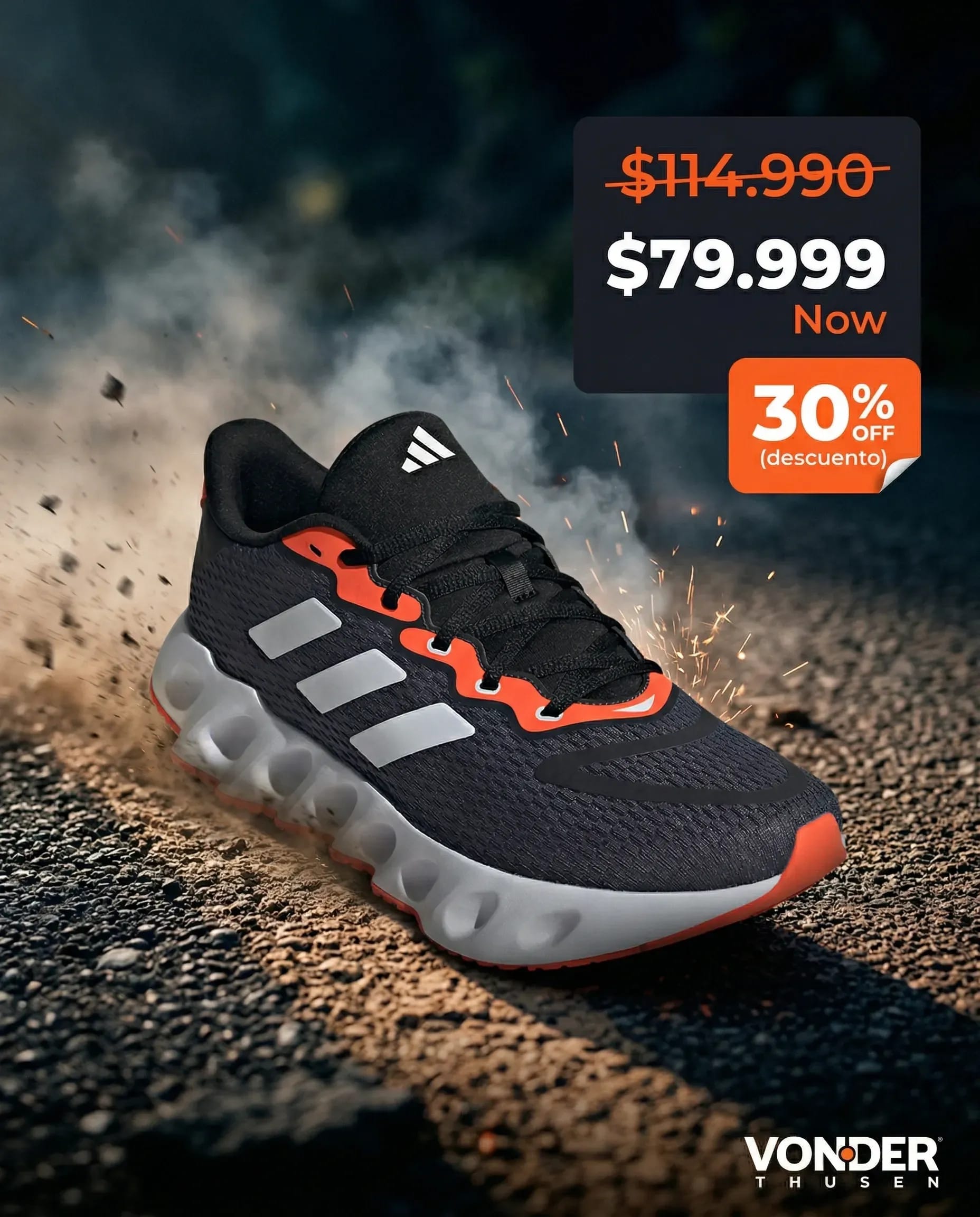
Square format for Meta Ads. Same brand, same product, adapted for the feed.

Format for TikTok Ads or stories. Energy and price in the same frame.
All the creatives above were generated in TiendaPop with the product and the event Brand Kit active. The Hot Sale logo, the orange colors, the crossed-out price — all integrated from the platform.
CACE sends each participating brand a visual identity manual for the event: the official colors, typefaces, the Hot Sale logo with its variants. The goal is for every piece you publish — on your store, on social media, in ads — to communicate that you're an official Hot Sale store.
With TiendaPop you can make that temporary change directly in your Brand Kit. You go to the settings, update the primary color to the event orange, upload the Hot Sale logo, adjust the typeface if needed. From that point on, every image, banner and creative you generate will come out with the event's identity.
When Hot Sale ends, you restore your original Brand Kit and go back to your usual brand identity. Two minutes of change, visual consistency throughout the entire event.

Brand Kit in TiendaPop updated with the Hot Sale identity. From this panel, every image and creative you generate will come out with the event's colors and logo.
If you haven't set up your Brand Kit in TiendaPop yet, the starting point is scanning your store: the platform automatically detects the colors, fonts and logo you already use. From there, adjusting to the Hot Sale style is minimal. You can see how that process works in the article on TiendaPop's automatic Brand Kit.
The buyer who already purchased from you once is the easiest to convert during Hot Sale. They already know you, already trusted you, and if they receive a well-designed email before May 11 with the offers you'll have, there's a strong chance they'll come back.
TiendaPop generates the visual pieces you need for that communication: banners for the email body, visual creatives, product images with price and discount. The same workflow you use for ads applies to email — same brand, same style, same consistency.
What you'll need:
You put the email together with your usual tool. TiendaPop generates the images.
| Task | Without TiendaPop | With TiendaPop |
|---|---|---|
| Product images (lifestyle, white background, macro detail) | Photo session, editing, days of work | Minutes per product, no photographer |
| SEO title and description for each product | Manual writing or external copywriter | Automatic AI generation from your store |
| Banners with Hot Sale identity for your site | Designer + brief + revisions | Generated in TiendaPop with event Brand Kit |
| Creatives for Meta Ads, TikTok and Google | Format-by-format production, days of work | Format by format from the platform |
| Email marketing pieces | One-off design or generic stock images | Real product images with integrated prices |
| Event visual identity | Manual change on each piece, inconsistent | Brand Kit updated once, applied to everything |
If you found this article with less than two weeks to go before the event, the priority is clear: the products that will be on sale first.
You don't need to optimize your entire catalog before May 11. Pick the three to five most important products for your participation — the ones with the best margin, the most searched, the ones you want to highlight — and work them properly with TiendaPop: images, SEO and one ad creative. That alone is a real change in your conversion probability.
The rest of the catalog you can work on after the event, when you have more time.
The deadline to register as an official Hot Sale 2026 store is April 14. If you haven't done it yet, you can see the participation options at hotsale.com.ar/participar.
Yes. TiendaPop is integrated with your Tiendanube store, so the product information is already loaded. You choose the product, the image style and the platform you need it for. No technical setup or prior knowledge required.
It depends on the number of products. A single product image generates in under a minute. If you have five products with three images each plus ad creatives, you can have everything ready in an afternoon.
Image generation is available from the Free plan. Ad creatives and the full Brand Kit are available on Starter, Pro and Business plans. Check the current details at tiendapop.xyz.
Yes. The Brand Kit in TiendaPop is editable at any time. You update the colors, logo and typography to the event style, generate all the pieces you need, then restore your brand's original values. The change doesn't affect images you've already generated.
It works for most physical products: clothing, footwear, accessories, electronics, home goods, cosmetics, packaged food, and more. For very specific products or those with highly technical image requirements, it's worth testing with the Free plan before scaling.
Yes. The images you generate are yours to use on any channel — your store, social media, paid ads, email marketing or printed materials. No usage restrictions apply.
TiendaPop works with the products you already have loaded in your Tiendanube store. If you're adding new products for the event, first load them into Tiendanube, then work on them in TiendaPop.
Hot Sale 2026 starts on May 11. You have days left to prepare what the buyer will see when they land on your store.
Pick the star product of your participation. Generate the images, optimize the page and build the creatives for your ads. All from TiendaPop, no photo session, no designer, no waiting.
Share article:
Creating AI product images manually seems cheap, but it’s slow, inconsistent, and impossible to scale. See the real cost of using multiple AI tools vs doing it automatically with TiendaPop.