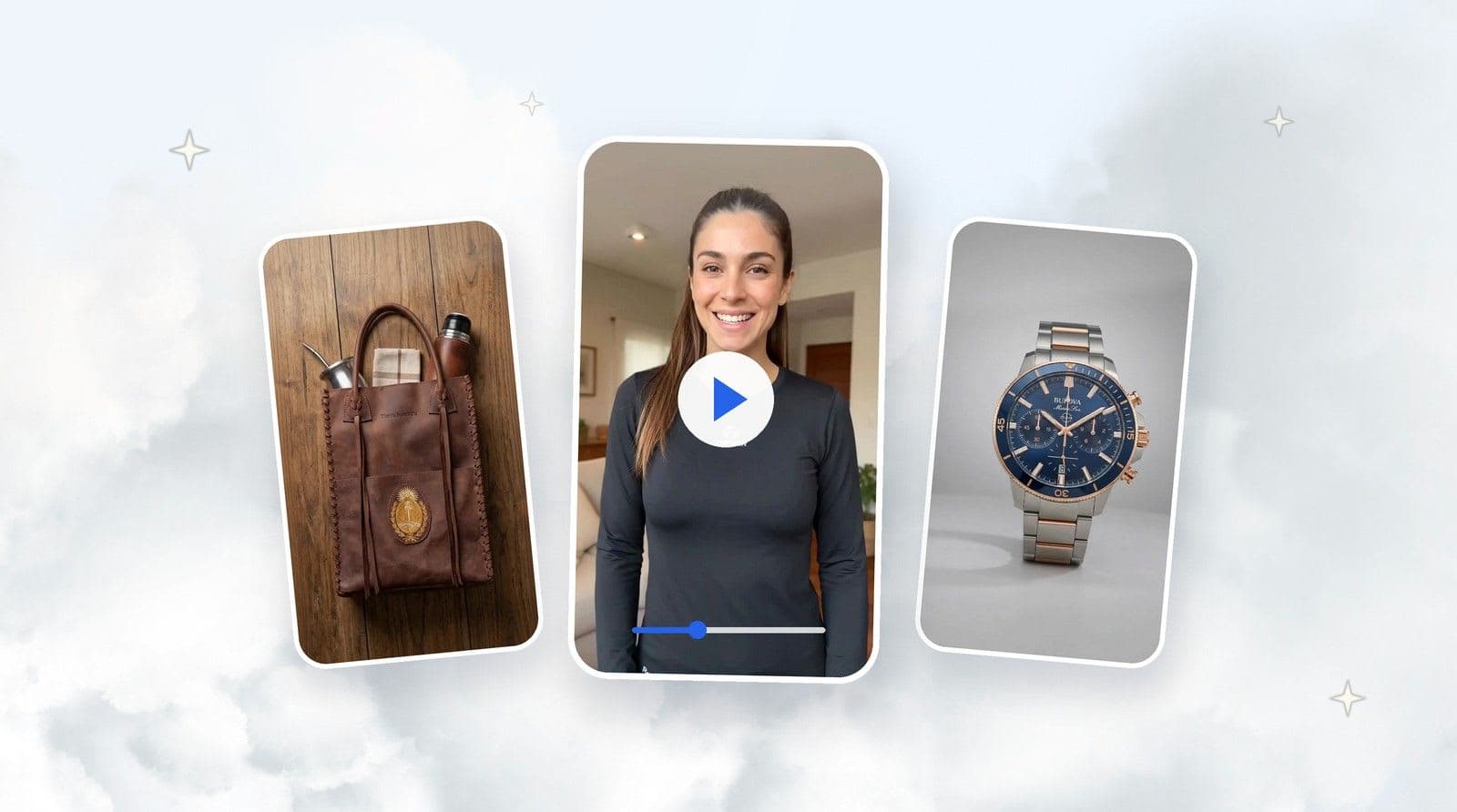
Model Shot is TiendaPop's new style for apparel and accessories: upload the photo of a garment — even a phone photo — and it generates model images with a professional photo studio look.
Think about everything a real model photoshoot involves: renting the studio, hiring the photographer, setting up the lights, casting and booking models, coordinating pre-production, physically bringing the garments to the studio, a full day of shooting and, at the end, post-production and editing.
A cost that repeats with every season and every new stock arrival. That's why so many stores publish garments on a hanger or on a white background — even knowing that clothes shown on a person sell better.
That just changed: meet Model Shot, TiendaPop's new style for generating AI model photos for clothing from a single image — even a photo taken with your phone.
TiendaPop is an AI image and content generation tool integrated with Tiendanube and Nuvemshop. It lets sellers create professional product photos, banners and ads without a photographer or designer, directly from their store. With Model Shot, it takes the photo of a garment or accessory and generates images of professional models wearing it, as if they came out of a photo studio.
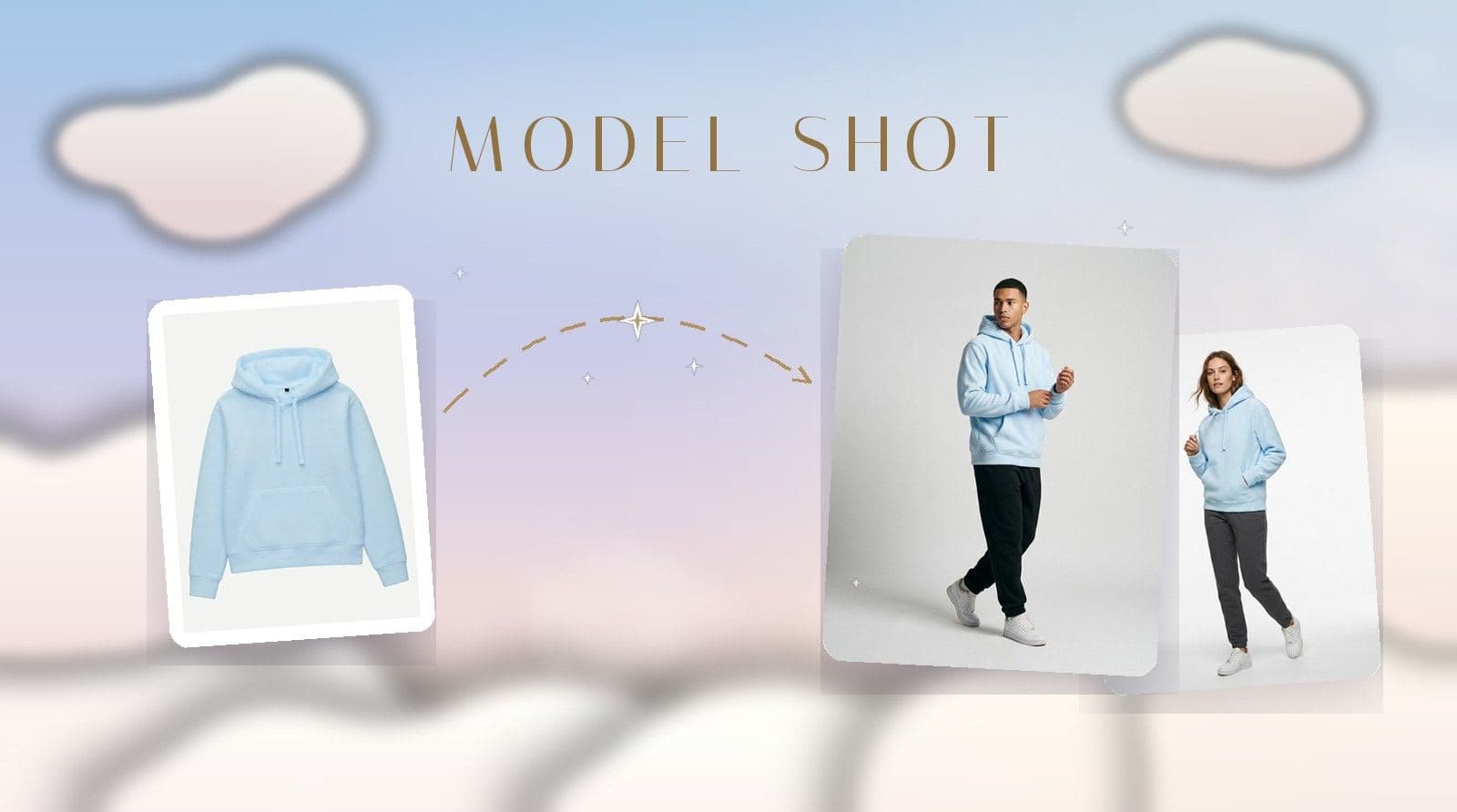
From garment photo to studio session: this is how Model Shot works in TiendaPop.
Model Shot is a TiendaPop image generation style built for apparel and accessories. From a single image of your product —the garment on a hanger, laid flat, or even a photo taken with your phone— it generates photos of a model wearing it, with the look of a professional photo studio: neutral gray background, even lighting, natural poses.
The photo doesn't need to be professional, and the product doesn't need to be uploaded to your store. Take a photo of the garment with your phone, upload it directly to TiendaPop and generate from there.
Here's what it looks like with a real hoodie: from the white-background catalog photo to two studio sessions — male and female model, whichever you ask for.
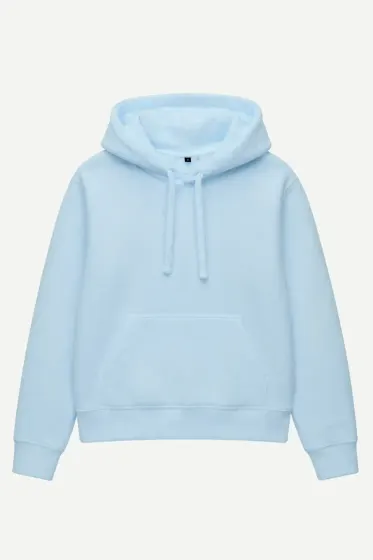
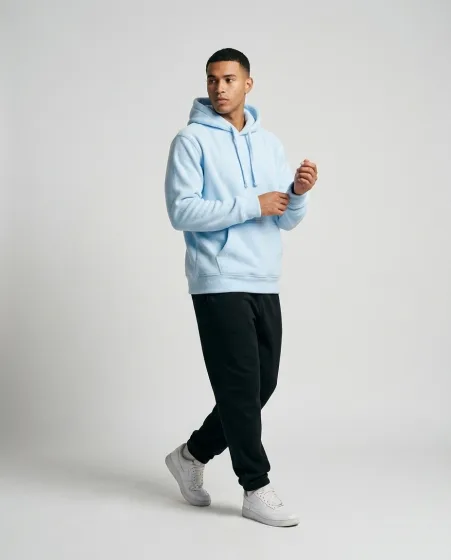
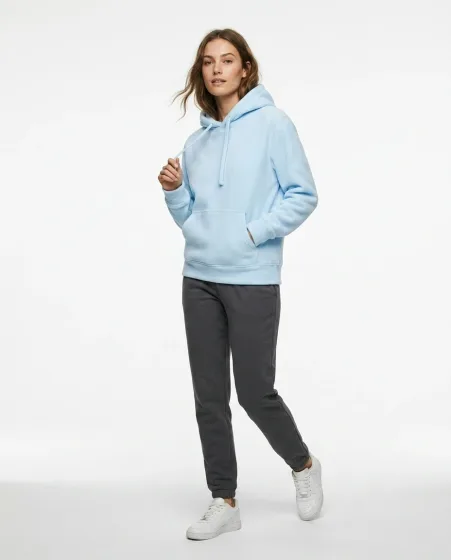
Swipe to see the before and after of the same hoodie.
The whole flow happens inside TiendaPop:
By default, Model Shot picks the model for you. But if you have something in mind, the Custom Description gives you control: you can ask for a blond or dark-haired model, define skin tone, gender, how they pose, which framing you want, and even details like attitude or how the garment is styled.
You don't need to know anything about prompts. Write what you want in your own words — "dark-haired model, loose hair, walking" — and the AI executes it. To sharpen your aim, we wrote a guide on how to write for the AI so it generates what you have in mind.
One product can have several different sessions. These three images came from the same white-background photo of a top:
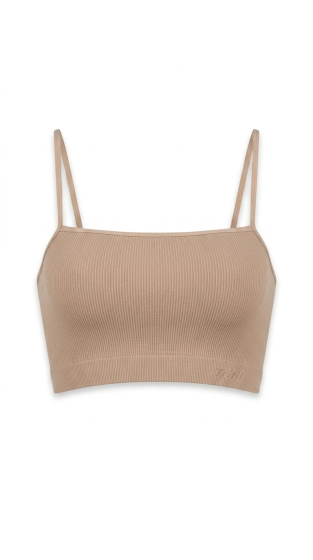
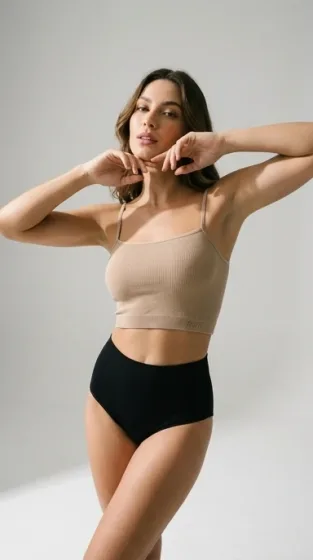
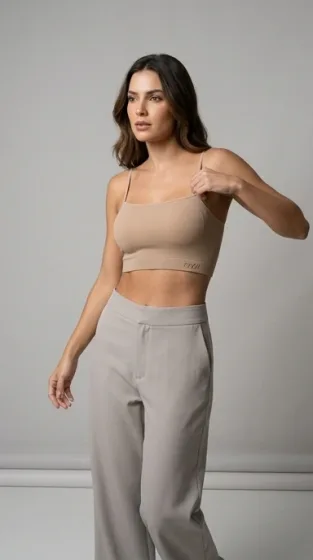
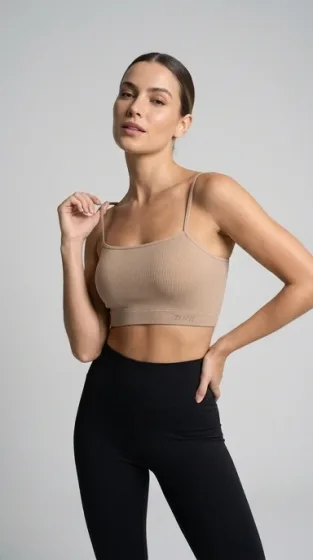
Three different poses and combinations, same studio look — all from the same base photo.
Apparel is Model Shot's main use case, but the style also works with accessories: watches, bags, glasses, caps. The logic is the same — the product alone becomes a model wearing it in the studio.
A concrete case: from the photo of a watch on a white background, Model Shot generates images of the watch on a model's wrist, with the same gray background and studio look.
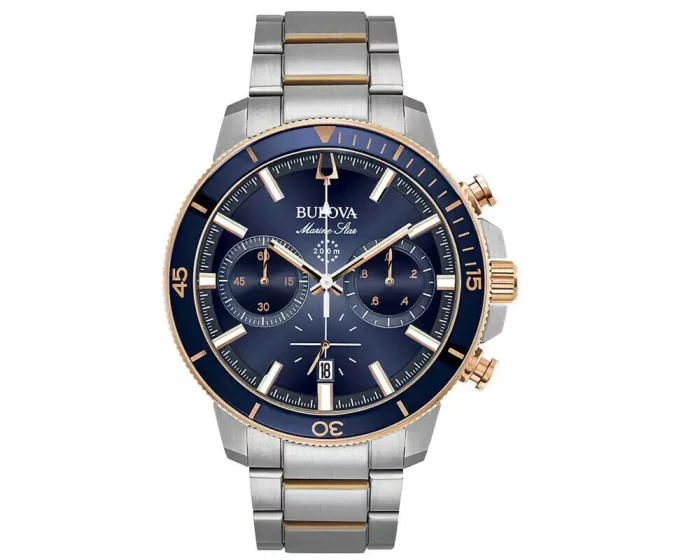
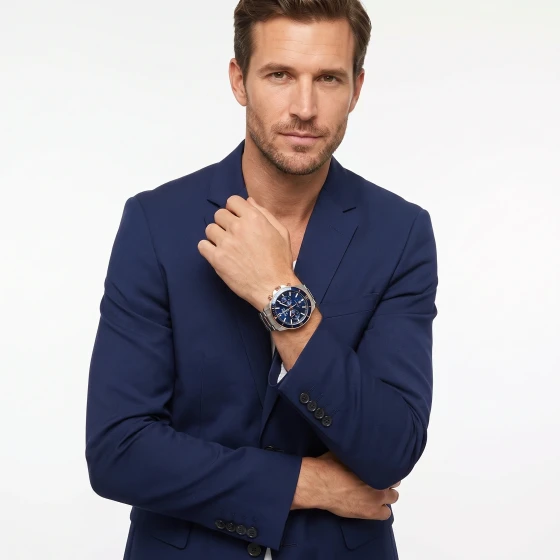
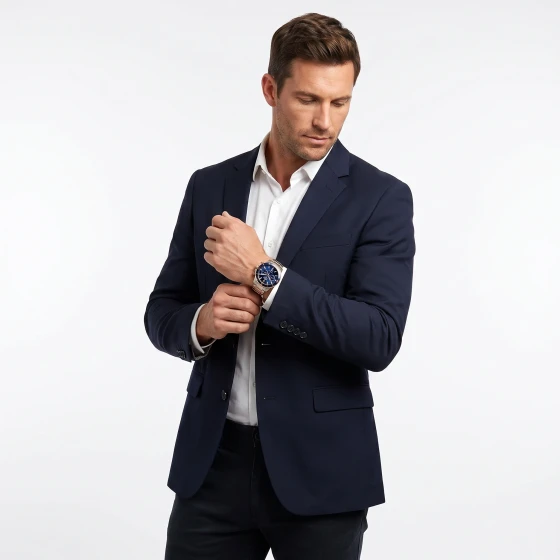
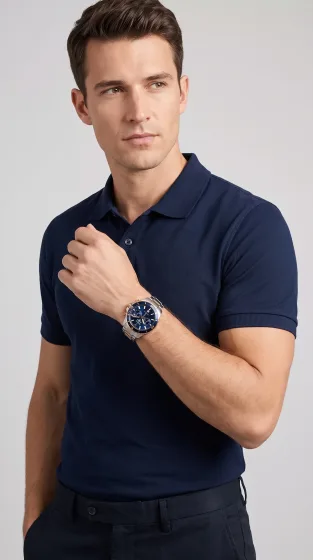
From the watch on white to a model wearing it in the studio.
| Producing with a real model | With Model Shot |
|---|---|
| Renting a photo studio | Not needed |
| Hiring a photographer, lights and gear | Not needed |
| Casting and booking models | The AI generates the model — and you define it |
| Coordinating schedules and pre-production | Nothing to coordinate |
| Bringing the clothes to the studio | You upload a photo, even one taken with your phone |
| A day (or more) of shooting | Generated in minutes |
| Post-production and editing | The image comes out ready to publish |
| The cost repeats every season | Every new garment gets its image without added friction |
The difference isn't just money: it's speed. An AI photoshoot has no minimums and no schedules — when new stock arrives, the product page can have its model photo the same day, even for a single garment.
And showing clothes on a person isn't an aesthetic whim: as Nielsen Norman Group's guidelines for ecommerce product pages point out, seeing apparel on a person helps shoppers judge how it will look — the first filter for deciding whether to keep looking or leave.
Model Shot is available on every TiendaPop plan, including the Free plan, and consumes credits like any other image style. If you haven't tried the platform yet, the Free plan comes with 100 credits and every style.
The AI starts from your photo: the clearer the garment looks —well lit, complete, with nothing covering it— the more faithful the result. If the first result isn't exactly what you pictured, the Custom Description is the way to adjust it.
Model Shot is a TiendaPop image generation style that takes the photo of a garment or accessory and creates images of models wearing it with a professional photo studio look: neutral gray background, even lighting and natural poses. It's built for apparel and accessory stores selling on Tiendanube or Nuvemshop.
No. A phone photo where the garment is fully visible and well lit is enough. The AI turns it into a studio image with a model.
No. You can upload the image directly in TiendaPop without the product existing in your store. If the product is already in your store, TiendaPop pulls the photos directly from it — nothing to download or upload.
Yes. With TiendaPop's Custom Description you can define the model's features —blond, dark-haired, skin tone, gender—, the pose, the framing and other details of the image. You write it in your own words, with zero prompt knowledge, and the AI executes it. It's how you get a virtual model for clothing tailored to your brand.
No. It works with apparel —the main use— and also with accessories like watches, bags, glasses or caps. For example, from the photo of a watch it generates images of the watch on a model's wrist.
All of them, including the Free plan. It consumes credits like any other TiendaPop image style.
Images come out with a neutral gray background, like a professional photo studio. That keeps them consistent with each other: you can generate photos for several garments and they'll all share the same session look.
Take a photo of your most important garment — your phone is enough. Upload it to TiendaPop, pick Model Shot and see the result.
Share article:
TiendaPop product videos now run 10 seconds, cost 50 credits, and keep your product true to your photos. A full tour of the 8 styles, with examples.